Feishu Authorization Login
In System Settings, select the User Authentication menu to access the Account Authorization Login setup page. On this page, you can enable Feishu accounts for third-party authorization.
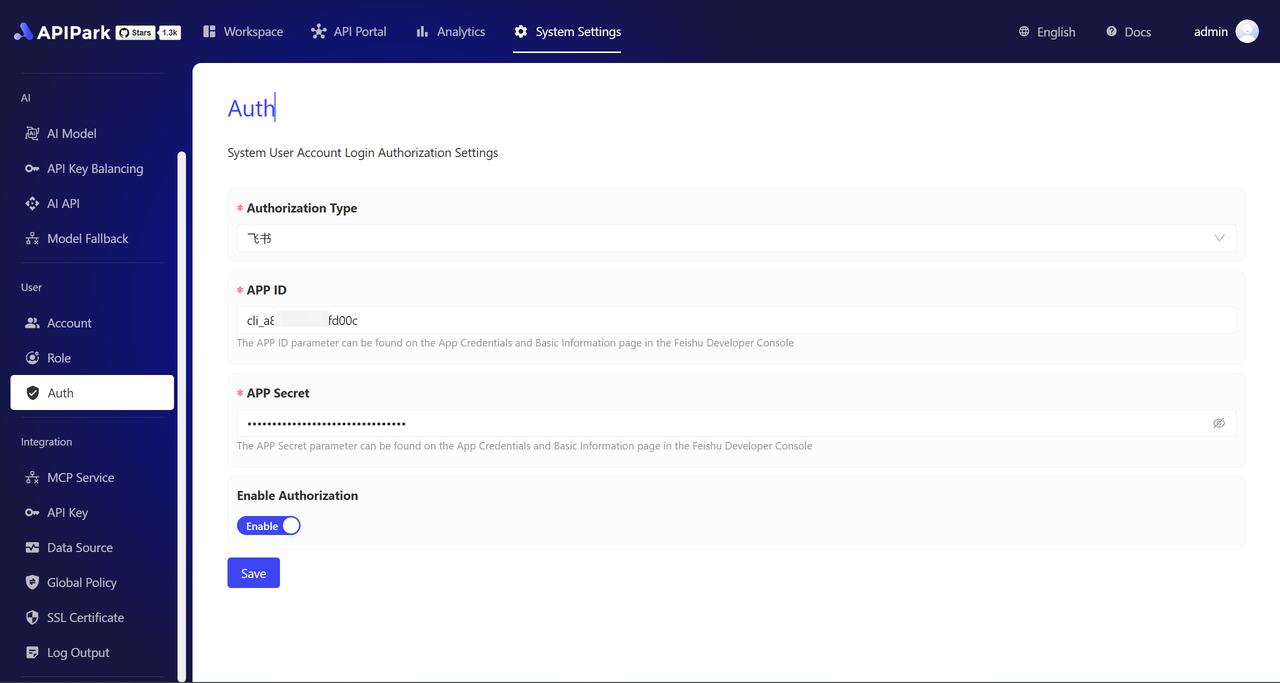
Authorization Configuration
-
Select Authentication Type as "Feishu"
Choose Feishu in the Authorization Type dropdown.

-
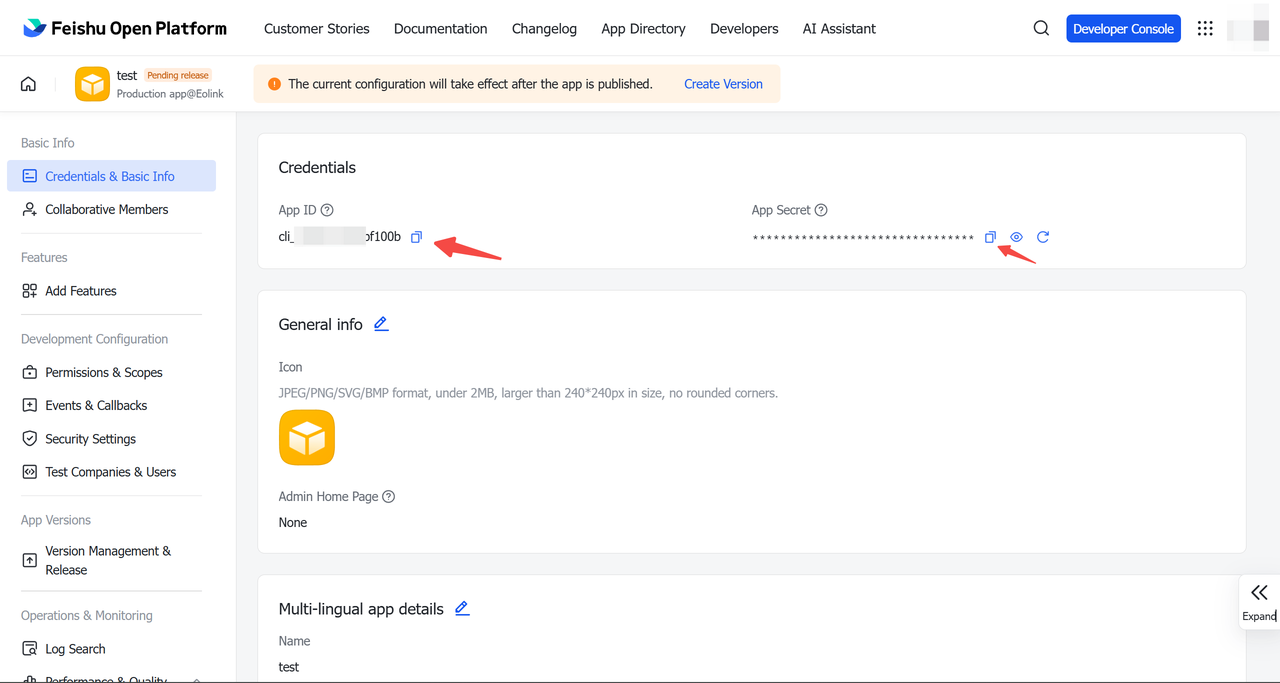
Obtain and Enter APP ID and APP Secret
- Log in to the Feishu Developer Console and navigate to the "Application Credentials & Basic Information" page.
- Enter the APP ID and APP Secret into the corresponding fields on the APIPark Account Authorization Configuration page.
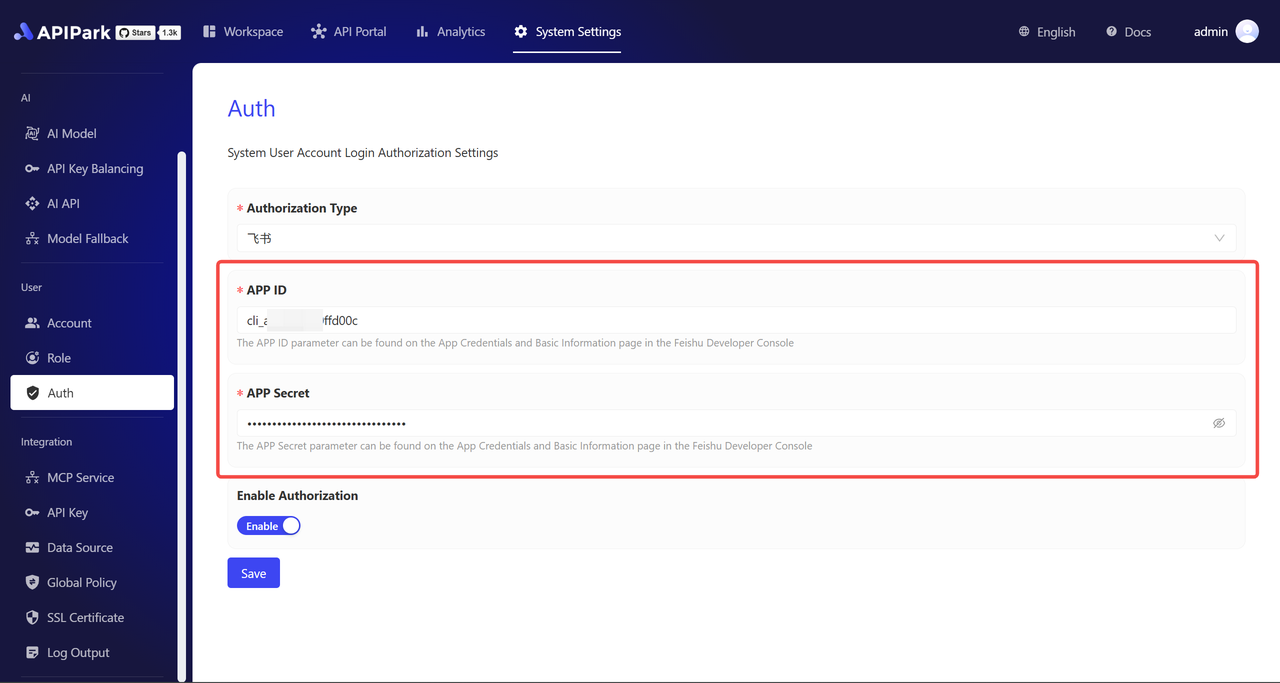
- Log in to the Feishu Developer Console and navigate to the "Application Credentials & Basic Information" page.
-
Enable Authorization Switch
After filling in the above fields, toggle the authorization switch to "ON" and save to activate immediately.
Feishu Login
After completing authorization configuration, the Feishu login entry will appear on the login interface.
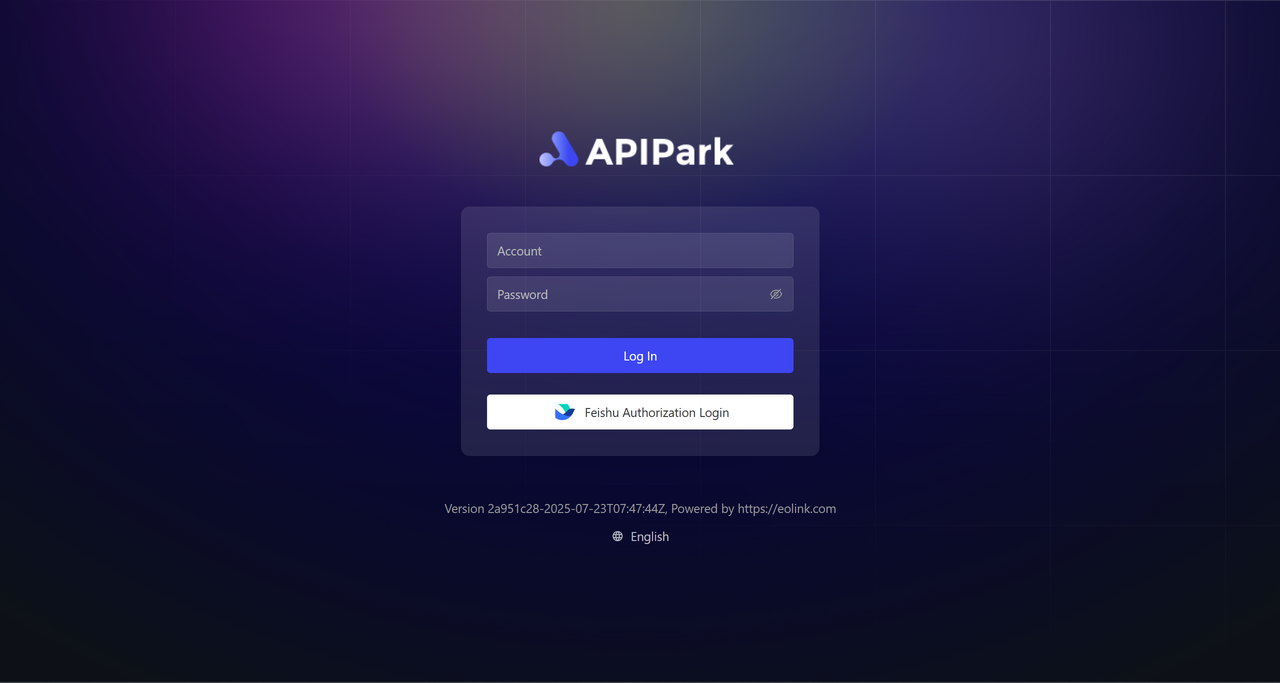
Click the [Feishu Authorization Login] button and follow the prompts to log in.